Plate readoutVIN source:
GET /v1.1/decode_vinMODEL YEAR —
Decoded vehicle
—
—MPG city
—MPG highway
- Engine
- —
- Transmission
- —
- Drive
- —
- Fuel
- —
- Tank
- —
- Seating
- —
- Steering
- —
- Brakes
- —
- L × W × H
- —
Plate lookup · Colorado
Enter a Colorado plate to find the vehicle's VIN, then decode it into year, make, model and factory specs.
GET /v1.1/decode_vinMODEL YEAR —
—
If you own or drive a vehicle in Colorado, you must have valid state license plates displayed on both the front and rear of the vehicle. Running a simple, free Colorado license plate lookup online might save you from a potential scam.
As of recent reports, Colorado ranks among the top states in the U.S. for car thefts per capita. This has led to increased efforts by law enforcement to crack down on auto theft and raise public awareness.
A quick and straightforward way to find your Colorado license plate number by looking at the issued license plates attached to your vehicle. Alternatively, you can find it on the Colorado Certificate of Title and also Colorado Registration Tax Receipt.
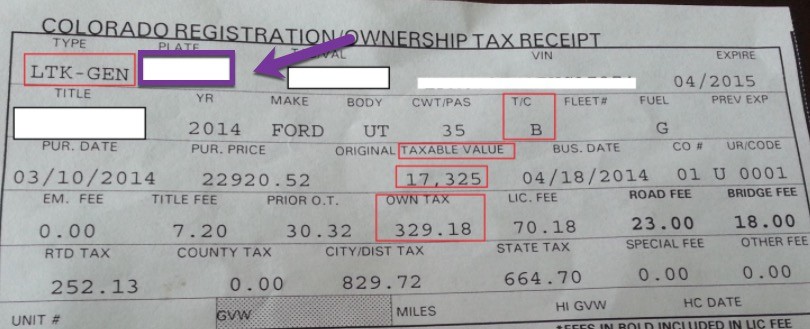
Getting a license plate in Colorado involves visiting the state of Colorado’s official DMV website to apply for and register the vehicle. You will then mail your application and await approval from the Colorado Department of Transportation.
To get a license plate in Colorado, visit the DMV’s website.
The state of Colorado offer license plates based on styles, options, and personal preferences. So, when registering a vehicle or getting replacement plates, you can decide to get regular plates or special license plates.
Here are the major types of license plates issued by the state of Colorado;
If you’re buying or selling a car, you have to protect yourself against fraudsters looking to take advantage of you.
The chances of getting scammed when buying a car or vehicle will reduce if we understand the danger of car fraud. Car purchase transactions will become much safer if we address this issue.
So, here are some of the dangers of car fraud;
state=CO; get the VIN backimport os, requests r = requests.post( "https://vindecoder.p.rapidapi.com/api/v4/decode_plate", data={"plate": "<plate>", "state": "CO"}, headers={ "X-RapidAPI-Key": os.environ["RAPIDAPI_KEY"], "X-RapidAPI-Host": "vindecoder.p.rapidapi.com", }, timeout=10, ) vin = r.json()["data"]["vin"]
const res = await fetch("https://vindecoder.p.rapidapi.com/api/v4/decode_plate", {
  method: "POST",
  headers: {
    "X-RapidAPI-Key": process.env.RAPIDAPI_KEY,
    "X-RapidAPI-Host": "vindecoder.p.rapidapi.com",
  },
  body: new URLSearchParams({ plate: "<plate>", state: "CO" }),
});
const data = await res.json();
if (data.success) console.log(data.data.vin);
curl -X POST "https://vindecoder.p.rapidapi.com/api/v4/decode_plate" \
  --data-urlencode "plate=<plate>" \
  --data "state=CO" \
  -H "X-RapidAPI-Key: $RAPIDAPI_KEY" \
  -H "X-RapidAPI-Host: vindecoder.p.rapidapi.com"
Subscribe on RapidAPI, copy your key, make the call. Upgrade to PRO or ULTRA there when you need more.